
Skip to content
Auggy
Small TypeScript agent runtime

Start with a working agent. Add only what it needs.

Auggy runs model turns and typed tools. Augments add memory, context, transports, skills, policy, and integrations without expanding the kernel or taking over the rest of your stack.

Local quickstart

Run the first agent locally.

Scaffold a project, configure the provider you selected, validate it, and open creator chat from the same process.

  1. 1

    Install and scaffold

    Create the concierge project with the documented CLI path.

  2. 2

    Configure the provider

    For a hosted provider, add the credential named in .env.example to .env. For Ollama, make sure the local service is running.

  3. 3

    Validate and run

    Doctor checks the project and provider before the runtime starts.

Open the quickstart
1 · Install and scaffoldbash
npm i -g auggy
auggy create concierge
cd concierge
3 · Validate and runbash
auggy doctor
auggy run
Expected local URLstext
Agent "concierge" is live.

  Chat:     http://localhost:8080/console/chat
  Console:  http://localhost:8080/console
  Health:   http://localhost:8080/health
  Home:     http://localhost:8080/
Built-in augments

Add a capability only when the agent needs it.

Start from the compact chat-ready project. Install identity, memory, communication, or external tools independently; each augment contributes one coherent runtime capability.

Recognize returning visitors

Visitor Auth

Verify visitors with an emailed magic link, then issue a stable recognized-visitor token for later sessions. Pair that durable identity with memory to personalize future agent experiences.

auggy augment add visitorAuth

Send, receive, and recover

AgentMail

Give Auggy an agent-native inbox for policy-gated sending, receiving, replies, and forwarding, with durable catch-up, creator review, and trust, recipient, rate, content, and audit controls.

auggy augment add agentMail

Remember people and agents

Layered Memory

Give Auggy peer-scoped memory for other agents, users, and recognized visitors, so relevant facts and context can return in later conversations.

auggy augment add layeredMemory

Connect existing tool servers

MCP

Import local or remote MCP tools with namespacing, allowlists, trust policy, lifecycle checks, and cloud diagnostics.

auggy augment add mcp
Custom augments

Wrap one business capability in an augment.

A custom augment packages everything needed for one job—routes your app can call, tools your agent can use, access rules, and ordinary functions that do the work.

Build the workflow once, secure it in one place, and use it from both your app and your agent.

Example structure
augments/sales/
├── index.ts       mounts the routes and tools
├── routes.ts      direct app and webhook operations
├── tools.ts       model-callable agent actions
├── functions.ts   ordinary TypeScript that does the work
├── auth.ts        access rules used by routes and tools
└── schemas.ts     validated inputs for each operation
augments/sales/index.ts
import { defineAugment } from "auggy";
import { salesRoutes } from "./routes";
import { salesTools } from "./tools";

export default function sales() {
  return defineAugment({
    name: "sales",
    type: "custom",
    httpRoutes: salesRoutes,
    tools: salesTools,
  });
}
Developer console

Inspect the reply. See the action behind it.

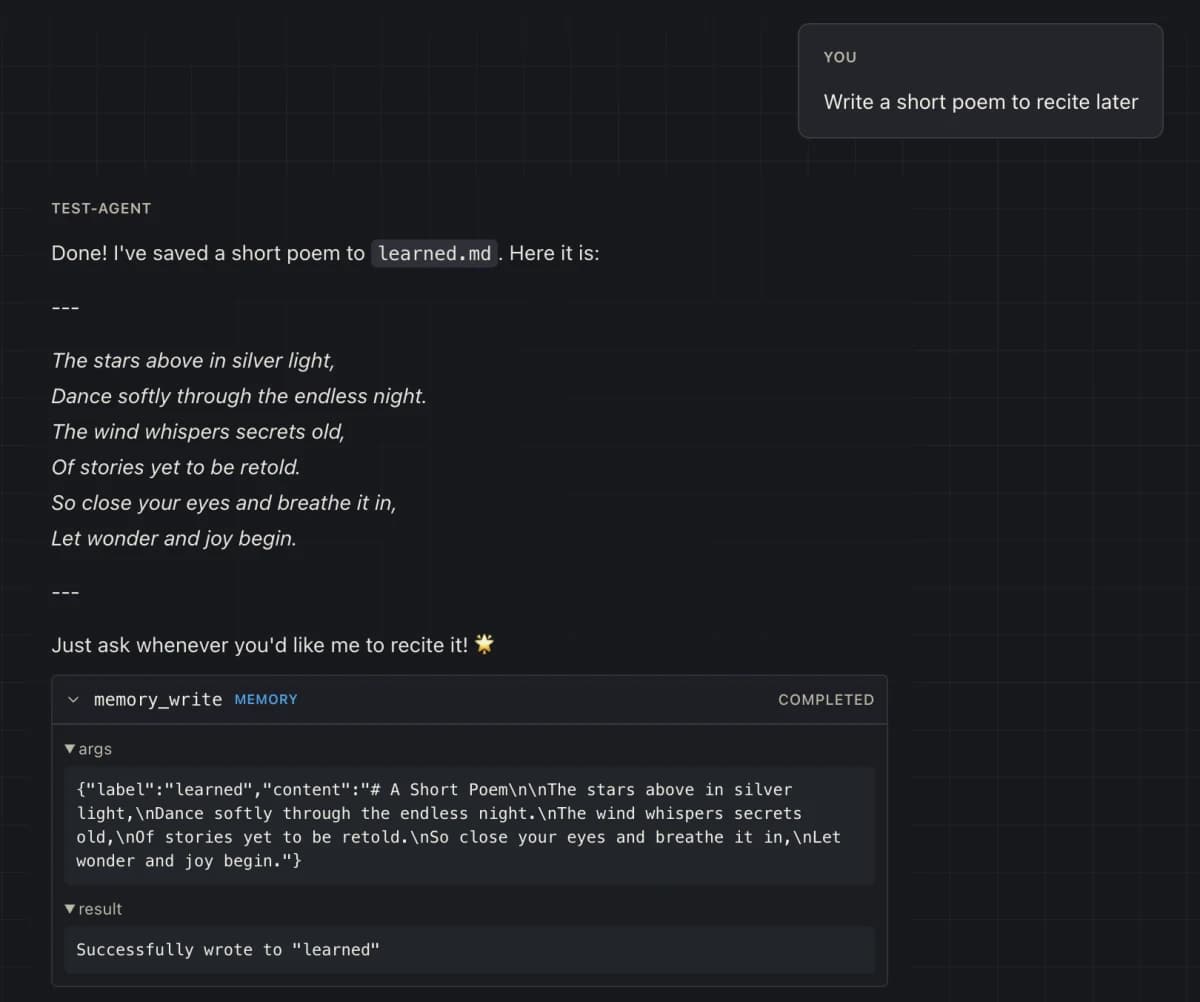
Use the creator console to test conversations, expand visible tool calls, inspect live integrations and capabilities, and tune the supported public discovery setting.

The 0.5 console is deliberately not a full configuration editor, raw model trace viewer, process manager, or multi-agent fleet dashboard.

Explore the console
localhost:8080/console/chat
Auggy console with an expanded memory_write tool call showing validated arguments and its result
Replies

Test behavior in creator chat

Read rendered answers, assistant errors, and a copyable Markdown transcript from the running agent.

Tool calls

Inspect completed actions

Expand validated arguments, results, category, and completion state beside the reply that used them.

Auth contexts

Test caller identity

Exercise creator, anonymous visitor, and verified visitor posture without pretending identity is model judgment.

Runtime

Review the live posture

Inspect mounted capabilities, endpoints, auth warnings, and toggle public developer discovery when you need it.

Run it where you need it

Keep it local, or deploy to the cloud.

Run Auggy locally while you build, then send the same project through its guided Railway deploy path when it needs a public URL and durable state.

Railway
Run locally or deploybash
# Run in the foreground on this machine
auggy doctor
auggy run

# Or deploy the same agent project to Railway
railway login
auggy deploy
Successful deployoutput
concierge is live on Railway.

  Chat:     https://concierge-production-xxxx.up.railway.app/console/chat
  Console:  https://concierge-production-xxxx.up.railway.app/console
  Health:   https://concierge-production-xxxx.up.railway.app/health
  Home:     https://concierge-production-xxxx.up.railway.app/

Manage it:
  auggy logs
  auggy deploy --yes      Redeploy

Details:
  Service:  concierge
  Volume:   concierge-data (mounted at /app/data)

What Auggy handles on the way to Railway

Preflight

Config, environment, dependencies, ports, and cloud-safe augment posture.

Persistent state

One service and one volume mounted at /app/data for durable runtime data.

Public verification

A generated domain, bounded deployment wait, and public /health check.

Research into runtime shape

Small is an architectural advantage.

Auggy's kernel is deliberately small. We integrated findings from ALARA, AIOS, Letta, OpenAI, and other agent-runtime research into a lean architecture that reduces wrong tool selection, preserves the most important context by evicting lower-priority material first, and enforces permissions in code before tools run.

01

Show the model fewer tools

Impact on Auggy

Auggy exposes only tools from mounted augments and structurally removes disallowed tools. The model has fewer wrong choices, tool schemas consume less context, and hidden capabilities cannot be prompt-injected back into view.

Learning path

Run the first agent. Then grow it one capability at a time.

Start with a successful local turn so every later change has a working baseline. Add a built-in, write one custom capability, inspect it, then deploy it.

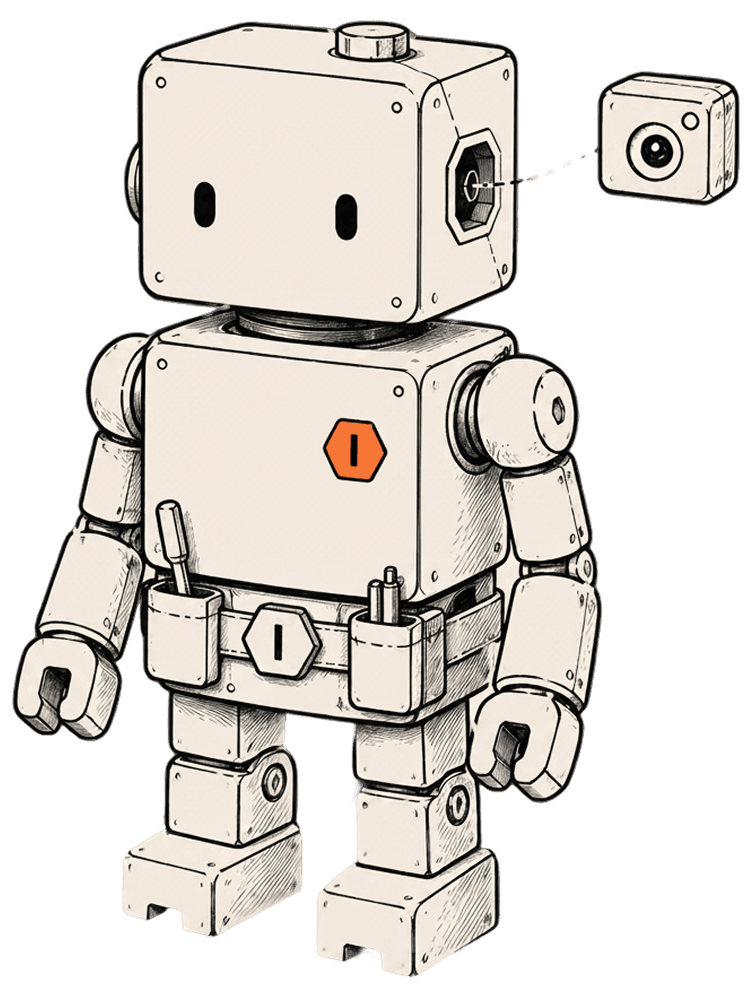
Auggy mounting a camera augment