
Console
Test the running agent and inspect its capabilities, caller contexts, tool calls, and live runtime configuration.
URLs
Chat:          http://localhost:8080/console/chat
Capabilities:  http://localhost:8080/console/capabilities
Console:       http://localhost:8080/console
Health:        http://localhost:8080/health
Home:          http://localhost:8080/
Every agent serves its own console. There is no separate GUI to install or run.
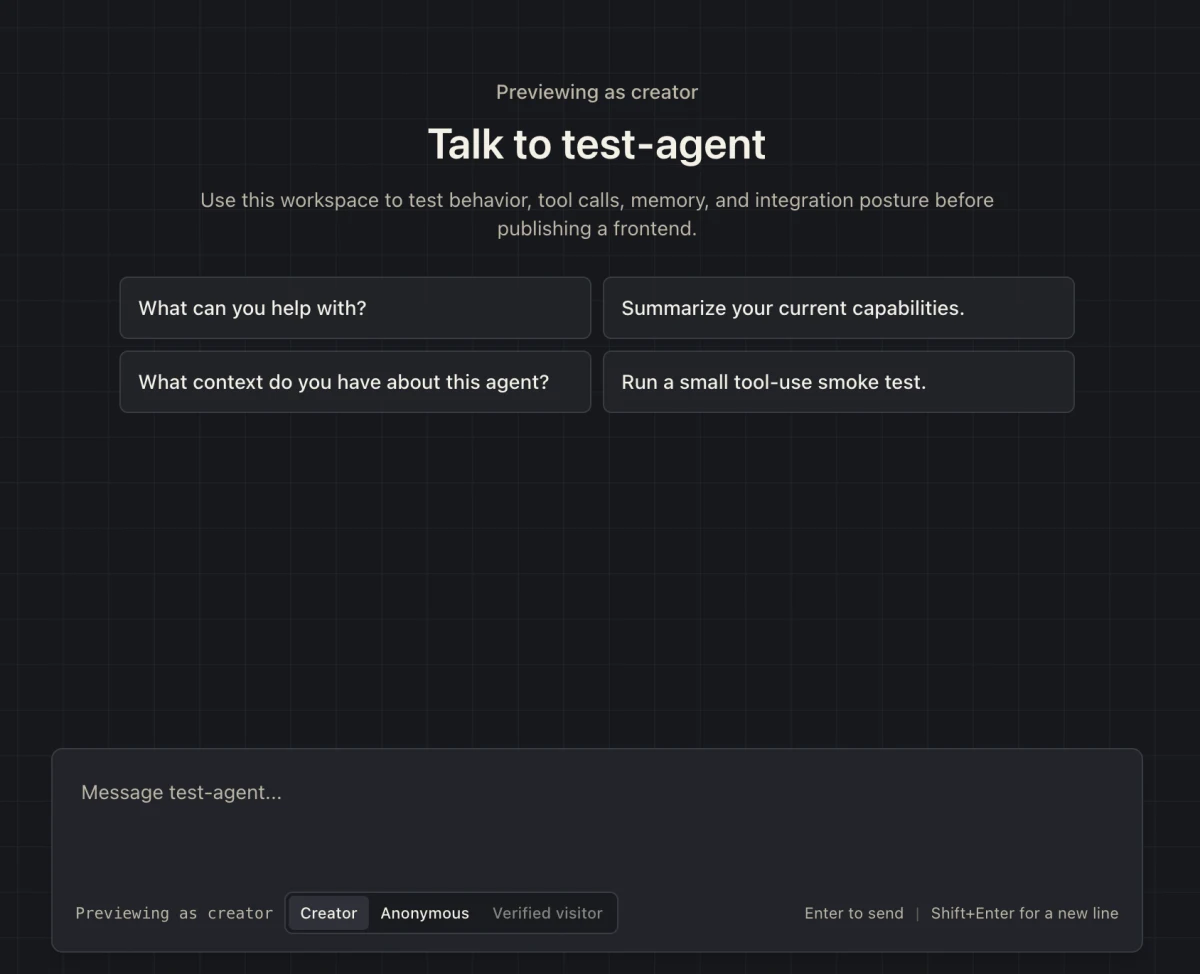
Test caller identity
Switch between creator, anonymous visitor, and verified visitor to confirm that each caller sees the expected tools and behavior.
Inspect tool calls
Expand a tool call to inspect its validated arguments, result, category, and completion state. The console does not yet provide a complete model-call trace inspector.
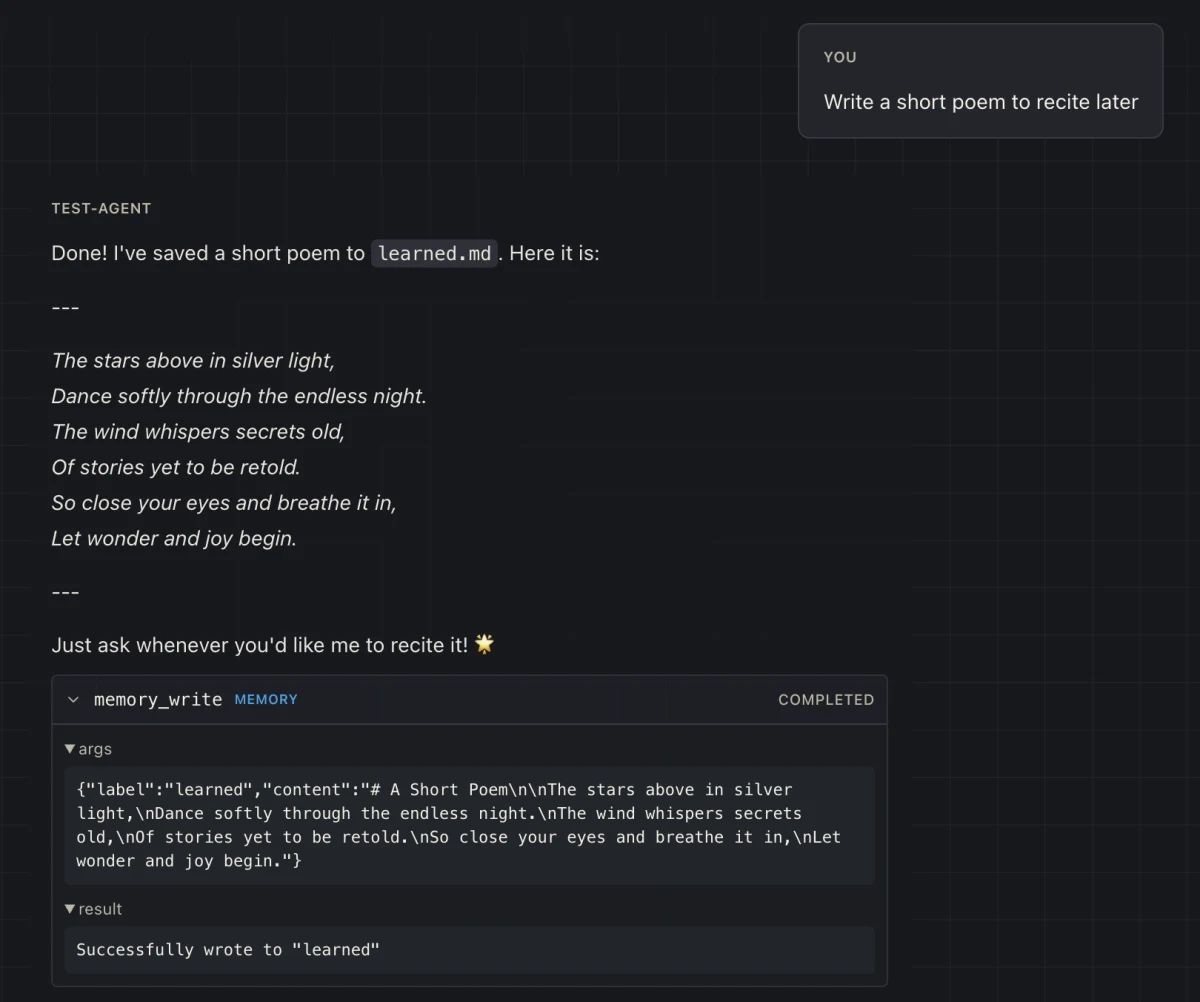
memory_write call with its arguments and result.Inspect the running agent
Use the capabilities and runtime panels to confirm what the agent actually loaded. This is the fastest way to catch a missing augment, unexpected caller posture, or configuration mismatch before testing model behavior.
| Surface | What it answers |
|---|---|
| Capabilities | Which tools and augments are available to the selected caller. |
| Runtime configuration | Which engine, model, transport, and project configuration the process loaded. |
| Health | Whether the process and augment lifecycle completed successfully. |
| Tool results | Which validated operation ran, with what arguments, and how it completed. |
Optional app integration has its own guide
The integration panel can also expose preview route manifests and application setup data. That surface is documented under Advanced Preview and is not part of the normal Console workflow.
Production access
- Protect creator console access with transport auth and production policy.
- Do not use console magic links on Railway unless allowConsoleInProduction is explicitly set.
- Use the console for operator-facing diagnostics, not as the public visitor surface.